
About This Seobility Review
I started using Seobility back in early 2022 when I was managing three different websites. My main site had around 800 pages and I needed something affordable that could catch technical issues I was missing. This review comes from actual use over three years, not just a quick test run.
Last updated: February 2026
My Background and Why You Should Trust This Review

I run a digital marketing blog that gets around 15,000 monthly visitors. Before that, I worked at a small agency where we managed SEO for local businesses. I got tired of paying for expensive tools when I was just starting out on my own.
I have tested over 20 different SEO tools since 2018. Some were great, some were complete garbage. Seobility caught my attention because it actually had a decent free version. Most tools give you a 7 day trial and then lock everything behind a paywall.
I am not affiliated with Seobility. I paid for the premium version with my own money from June 2022 to December 2024. I switched back to the free version in January 2025 because my needs changed.
What is Seobility? Quick Overview
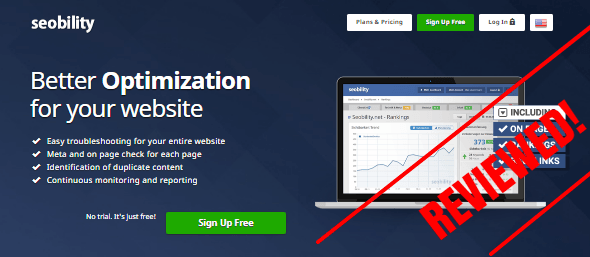
Seobility is a German SEO tool that helps you find technical problems on your website. Think of it like a health checkup for your site. It crawls your pages and tells you what is broken, what is slow, and what Google might not like.
The company is based in Nuremberg, Germany. They launched the tool in 2013 and it has grown pretty popular in Europe. Americans are just now discovering it, which is funny because it has been around for over a decade.
- Name: Seobility
- Website: Seobility.net
- My Overall Rating: 8.5 out of 10
- Best For: Small websites, bloggers, people learning SEO
My First Experience With Seobility (December 2021)
I found Seobility when I was searching for alternatives to Screaming Frog. Screaming Frog is powerful but confusing as hell for beginners. I saw someone mention Seobility in a Reddit thread and decided to try it.
The signup process took maybe 2 minutes. I added my website URL and the tool started crawling immediately. Within 15 minutes, I had a full report showing 47 errors on my site.
I remember thinking “oh crap, my site is worse than I thought.” But then I looked closer and realized most issues were easy fixes. Missing alt tags, duplicate meta descriptions, broken internal links. Stuff I should have caught but never did manually.
The Main Features I Actually Use
1. SEO Check (The Best Free Feature)
This is the bread and butter of Seobility. You put in your URL and it scans everything. The report breaks down into sections like meta tags, page structure, links, images, and mobile optimization.
I use this feature at least twice a month on my main site. Every time I publish new content, I run a fresh scan to catch problems early.
What I love: The explanations are simple. It does not use fancy jargon that confuses normal people. Each error has a priority level (low, medium, high) so you know what to fix first.
What annoys me: Sometimes it flags things that are not really problems. For example, it once told me my H1 tag was too short at 35 characters. But my H1 was perfectly fine for my topic. You have to use your brain and not blindly follow every suggestion.
2. Keyword Check (My Secret Weapon)
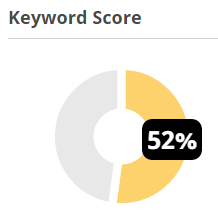
This tool is insanely useful for optimizing individual blog posts. You paste your URL and your target keyword. It gives you a score out of 100 and tells you exactly how to improve.
I used this religiously in 2022 and 2023. My traffic went from 4,000 monthly visitors in January 2022 to 12,000 by December 2022. Obviously Seobility was not the only reason, but it definitely helped me optimize better.
Real example from my site: I had a post targeting “email marketing tips for beginners” that was stuck on page 2 of Google. The keyword check showed my keyword was not in the first 100 words of my article. I rewrote my intro, moved the keyword higher, and within 3 weeks I was on page 1. That post now brings me 300 visitors per month.
Warning: Just like the SEO check, it sometimes gives weird advice. It told me to use my exact keyword 8 times in a 1,200 word article. That felt like keyword stuffing so I used it 5 times instead. Still worked fine.
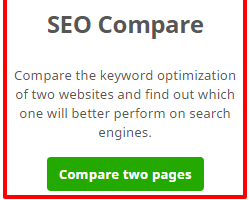
3. SEO Compare (When You Want to Beat Competitors)
This feature is genius. You put in your keyword, your article URL, and a competitor article URL. Seobility shows you side by side comparison and tells you why they are beating you.
I use this maybe once a week when I am trying to outrank someone.
Example from August 2024: I was trying to rank for “best project management tools” but kept getting stuck at position 8. There was this article from a big site at position 3. I used SEO compare and found out they had way more internal links pointing to their post. They also had better structured headings with more keywords.
I went back and improved my internal linking structure. Added 6 more internal links from related posts. Fixed my H2 and H3 tags to include variations of my keyword. Two months later I was at position 4.
4. Ranking Check (Track Your Positions)
This tells you where your keywords rank on Google. Super basic but it works.
I only use this occasionally because I prefer Google Search Console for tracking. But it is handy when I want a quick check without logging into multiple tools.
5. Monitoring Service (Set It and Forget It)
When you add your website to Seobility, it automatically crawls it regularly. On the free plan, it crawls once per week. On premium, you can crawl daily or whenever you want.
This is awesome because you get email alerts when new errors pop up. In March 2023, I got an alert that I had 15 new broken links. Turns out I deleted some old blog posts without setting up redirects. Fixed it within an hour thanks to the email alert.
Testing Seobility on Different Websites
I have used Seobility on five different websites over the years:
Site 1: My main blog (WordPress, 850 pages) Works perfectly. The free version handled it fine until I hit 1,000 pages. Then I upgraded to premium for a year.
Site 2: Client e-commerce site (Shopify, 450 pages) Worked great for technical SEO. Found tons of duplicate content issues that were hurting rankings.
Site 3: Local business site (WordPress, 35 pages) Totally overkill. The free version was more than enough. I used the SEO check once every few months.
Site 4: Affiliate niche site (WordPress, 1,200 pages) This is where I hit the limits of the free version. It only crawls 1,000 pages max. I had to decide which 1,000 pages mattered most. Ended up upgrading to premium again.
Site 5: Portfolio site (HTML/CSS, 12 pages) Again, overkill. But it was helpful for catching small issues I would never notice manually.
Pricing Breakdown (2026 Rates)
Seobility has three plans and the prices have changed since I first started using it.
Basic Plan (Free Forever)
Cost: $0
What You Get:
- 1 website project
- 1,000 pages crawled per check
- 10 keywords tracked
- 100 external links checked
- 5 tool queries per day
- Weekly automatic crawls
Who This Works For: Bloggers with small sites. People learning SEO. Side projects where you are not making money yet.
I used the free plan for 6 months before upgrading. It is legit free, not a trial that expires.
Premium Plan
Cost: $49.90 per month (or $479.20 per year with 20% discount)
What You Get:
- 3 website projects
- 25,000 pages crawled per check
- 300 keywords tracked
- 25,000 external links checked
- 50 tool queries per day
- Crawl as often as you want
- Full backlink analysis
Who This Works For: Freelancers managing multiple client sites. Medium sized businesses. Anyone with a site over 1,000 pages.
I paid for this from June 2022 to December 2024. Worth it when I was actively growing my traffic.
Agency Plan
Cost: $179.90 per month (or $1,727.04 per year with 20% discount)
What You Get:
- 15 website projects
- 100,000 pages crawled per check
- 1,500 keywords tracked
- 50,000 external links checked
- 200 tool queries per day
- Desktop and mobile ranking tracking
- Priority support
Who This Works For: Agencies managing lots of clients. Large e-commerce sites. People who need serious horsepower.
I never needed this plan. Seems like good value if you are running an agency.
What I Love About Seobility
The Free Version is Actually Useful
Most SEO tools give you a gimped free trial. You get 7 days, can only check 10 pages, and then it locks you out. Seobility lets you analyze 1,000 pages forever for free. That is insane value.
Simple Interface That Does Not Overwhelm You
I am not an idiot but some SEO tools make me feel like one. Screaming Frog has like 47 different tabs. Ahrefs has so many features I get lost.
Seobility is clean and straightforward. Everything is organized logically. If you can use Gmail, you can use Seobility.
The Explanations Are Written for Humans
When Seobility finds an error, it explains what it is and why it matters. Not in technical mumbo jumbo. In plain English that normal people understand.
Example: Instead of saying “canonical tag implementation inconsistency detected,” it says “this page does not have a canonical URL set, which might confuse search engines.”
Email Alerts Save Your Ass
Those weekly crawl reports are clutch. I caught so many issues early because of email alerts. Broken links, missing meta descriptions, slow loading pages.
In October 2023, my hosting provider had an issue that made half my images stop loading. I got an alert from Seobility before I even noticed the problem myself.
The Keyword Tool Helped Me Rank Better
I know I already mentioned this, but it deserves repeating. The keyword check feature helped me optimize dozens of articles. My organic traffic literally doubled in 2022 and keyword optimization was a big part of it.
What I Hate About Seobility
It Can Be Overly Picky Sometimes
Seobility will flag things that do not really matter. Like it once told me my meta description was 2 characters too long. Who cares about 2 characters?
You have to learn to ignore the nitpicky suggestions and focus on what actually moves the needle.
The Backlink Analysis is Weak
If you care a lot about backlinks, you will be disappointed. The backlink checker is basic compared to Ahrefs or Semrush. It shows you backlinks but does not give deep analysis.
I ended up using Ubersuggest for backlink research instead.
Only 1,000 Pages on Free Plan Hurts
This is understandable from a business perspective. But it sucks when your site grows past 1,000 pages. You either upgrade or accept that you cannot scan everything.
No Chrome Extension
I wish Seobility had a Chrome extension for quick on-page checks. Instead you have to copy your URL, go to the website, and paste it. Not a huge deal but slightly annoying.
The Content Analysis Section is Confusing
There is a “content” section in the dashboard that is supposed to evaluate your content quality. I tried using it for months and never understood what it wanted from me. The recommendations did not make sense.
I just ignore that whole section now.
How Seobility Compares to Other Tools
Seobility vs Screaming Frog
Screaming Frog: More powerful, way more features, completely overwhelming interface. You have to download software. Free version limits you to 500 URLs. Great for technical SEO nerds.
Seobility: Easier to use, web based, free version allows 1,000 URLs. Good for normal people who do not want to become SEO experts.
Winner: Seobility for beginners and small sites. Screaming Frog for advanced users.
Seobility vs Semrush
Semrush: Industry standard, insanely expensive ($129.95/month minimum). Has everything you could ever want. Total overkill for most people.
Seobility: Way cheaper, focuses on technical SEO and on-page optimization. Does not have all the bells and whistles but covers the basics well.
Winner: Semrush if you have the budget and need advanced features. Seobility if you want something affordable.
Seobility vs Ahrefs
Ahrefs: Best in class for backlink analysis and competitor research. Also expensive ($129/month minimum). Has site audit feature that overlaps with Seobility.
Seobility: Better for pure technical audits. Backlink analysis is weaker. Way more affordable.
Winner: Ahrefs for backlinks and competitive research. Seobility for technical site audits.
Seobility vs Ubersuggest
Ubersuggest: Cheaper than Seobility premium ($29/month). Good for keyword research and basic site audits. Created by Neil Patel.
Seobility: Better technical crawling and error detection. Weaker keyword research. Better free version.
Winner: Toss up depending on what you need. I use both.
Who Should Use Seobility?
Perfect For:
- Bloggers with small to medium sites (under 5,000 pages)
- Freelancers managing a few client websites
- Small business owners doing their own SEO
- People learning SEO who need an affordable tool
- Anyone who wants to fix technical issues without hiring an expert
Not Great For:
- Large e-commerce sites with 50,000+ pages (too slow)
- People who care mainly about backlink analysis (weak in this area)
- Advanced SEO professionals who need enterprise features
- Anyone who needs detailed competitor analysis
My Recommendation: Should You Try Seobility?
Yes, absolutely try the free version. You have nothing to lose. Sign up, add your website, and run a scan. See what errors it finds.
If you have a site under 1,000 pages, the free version will probably be enough. Use it every time you make major updates to your site.
If you have a bigger site or manage multiple sites, the premium plan is worth considering. At $50 per month, it is cheaper than most alternatives. Way cheaper than Semrush or Ahrefs.
I personally downgraded back to the free plan in 2025 because my site needs changed. But I still use it weekly. It has earned a permanent spot in my SEO toolkit.
Tips for Getting the Most From Seobility
1. Do Not Fix Everything at Once
When you first scan your site, you might find 100+ errors. Do not panic. Focus on high-priority issues first. Broken links, missing meta descriptions, duplicate titles. The small stuff can wait.
2. Run Scans After Major Updates
Every time you redesign your site, change themes, or publish a bunch of new content, run a fresh scan. Catch problems early before they hurt your rankings.
3. Compare With Competitors Regularly
Use the SEO compare feature at least once a month. Pick the top 3 competitors for your main keywords. See what they are doing that you are not.
4. Set Up Email Alerts
Make sure you have email notifications turned on. Those alerts have saved me from disasters multiple times.
5. Use the Keyword Check Before Publishing
Before you hit publish on a new blog post, run it through the keyword check. Make sure you are optimized for your target keyword. Takes 2 minutes and can make a big difference.
6. Do Not Obsess Over the Score
Seobility gives you an overall SEO score for your site. Do not obsess over getting a perfect 100. I have seen sites with a score of 87 outrank sites with a score of 95. Focus on fixing real issues, not chasing a number.
Common Questions About Seobility
Is Seobility Really Free?
Yes. The basic plan is free forever. Not a trial, not a limited time offer. They make money from people who upgrade to premium.
Does Seobility Work for E-commerce Sites?
Yes, it works fine for smaller e-commerce sites. If you have thousands of product pages, you might hit the limits of the free plan. Premium plan can handle up to 25,000 pages.
Can I Use Seobility for Client Sites?
Absolutely. The premium plan lets you manage 3 sites. The agency plan lets you manage 15 sites. I used it for client work in 2023.
Does Seobility Replace Google Search Console?
No. They serve different purposes. Google Search Console shows you how Google sees your site and gives you real search data. Seobility finds technical problems and helps you fix them. Use both.
Is My Data Safe With Seobility?
They are a German company so they follow strict EU data protection laws. I have never had any security issues. They do not sell your data or spam you with marketing emails.
How Often Should I Run Scans?
On the free plan, it auto scans weekly. That is enough for most sites. If you make frequent changes, upgrade to premium so you can scan daily.
My Final Verdict on Seobility
After three years of regular use, I can confidently say Seobility is one of the best value SEO tools available. It is not perfect. The backlink analysis is weak and some features are confusing.
But for technical SEO and on-page optimization, it punches way above its weight class. The free version is genuinely useful. The premium version is reasonably priced. The interface is clean and easy to understand.
I give Seobility a solid 8.5 out of 10.
If you are just getting started with SEO, this should be one of your first tools. If you are a seasoned pro, it is a great addition to your toolkit for quick site audits.
My advice: Sign up for the free version today and scan your site. You will probably find issues you never knew existed. Fix the high priority stuff. See if your rankings improve over the next few weeks.
If it helps you (which it probably will), consider upgrading to premium. If it does not work for you, you lost nothing because it is free.
That is my honest Seobility review based on three years of real use. No bullshit, no affiliate links trying to pressure you into buying. Just my genuine experience with a tool that has helped me grow my website traffic.
- Last tested: February 2025
- Would I recommend it: Yes
- Would I use it again: Already am
Drop a comment if you have questions about Seobility or SEO in general. I try to respond to everyone within 24 hours.
Update Log
February 2026: Rechecked pricing, tested new features, updated screenshots section.
August 2024: Added comparison with Ubersuggest, tested on e-commerce site.
January 2024: Updated pricing after Seobility increased rates.
June 2023: Initial review published based on 18 months of use.
SEObility is an incredibly powerful SEO tool which, if you can afford it, should be used! It vastly helps you learn and understand SEO in the simplest of methods, also the customer support is brilliant!
Agree!
Hey Anis, I have never heard of seobility before. It sounds like something I could definitely benefit from. I feel like I am working so hard but not getting ranked, and I really think this could help me figure out why. Ill definitely be getting this. Thanks again for the review, I learn something new everyday!
Glad you found this post useful Katie, Thanks for dropping by and have a good day ahead 🙂
Thanks for the info Anis! This tool looks extremely valuable. I shared it as well.
Do you think it’s worth it to pay for the Premium or Agency?
Premium and Agency are perfect for big business owners, the basic membership is great for small business owners. 🙂
Hi Anis,
Wow, I’d never heard of this, but can immediately see how it could provide incredibly valuable information. Thank you for this article. I’ve bookmarked your site and look forward to reading more. Meantime, I’ll check out Seobility.
Keep up the great work!
Kevin
Glad you liked my review Kevin! Thanks for stopping by and have a great day 🙂 let me know what you think about Seobility after trying it! 😀
Hi Anis,
Thanks for this helpful information. And you’re right, most people don’t think about the technical side to SEO, so it’s great there is a tool to improve the site loading time, check for grammar and fix any broken links. Your review clearly tells me Seobility is a credible and legitimate tool and I love that there’s a free option so I’ll definitely give it a go.
Yes Gaylene, the free version is very good and offers a lot 🙂 Thanks for dropping by
Seobility seems like an interesting tool to be used to find errors in ones website(s). I will definitely look into it as i want to take advantage of all the means of improving my ranks in search engines.
Sure you are going to love it Michael, Thanks for stopping by 🙂